
Unit 11 Cyber Security and Incident Management
BTEC Information Technology
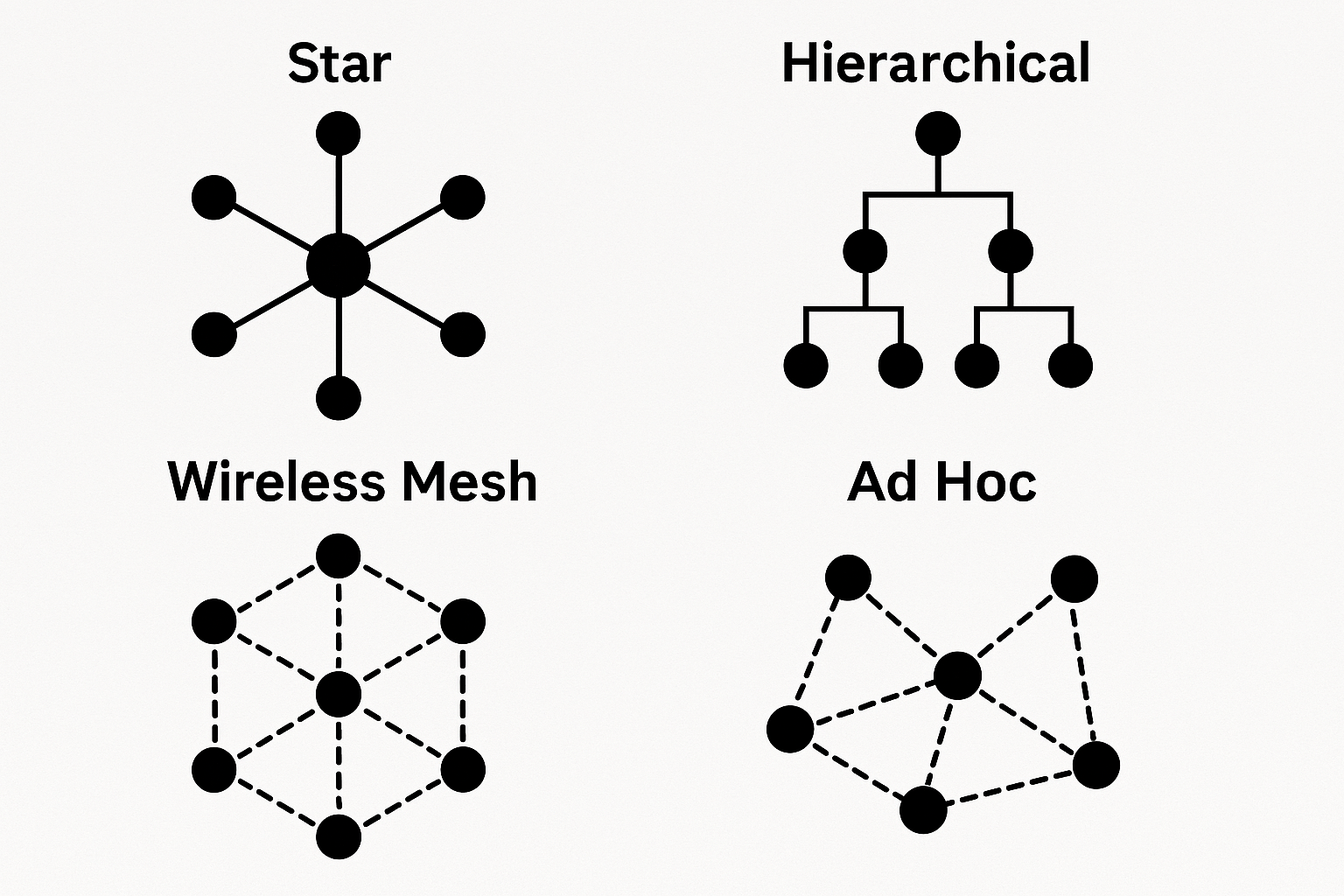
Learning Aim B
Network Security

How do physical and logical topologies show how data moves across a network?


1 Video Explainer
Understand the features and uses of different network topologies
Resource 1: Network Topologies Video Explainer, Produced by NotebookLM (Length 6:02)

2 Key Knowledge Points
Connect main ideas and concepts
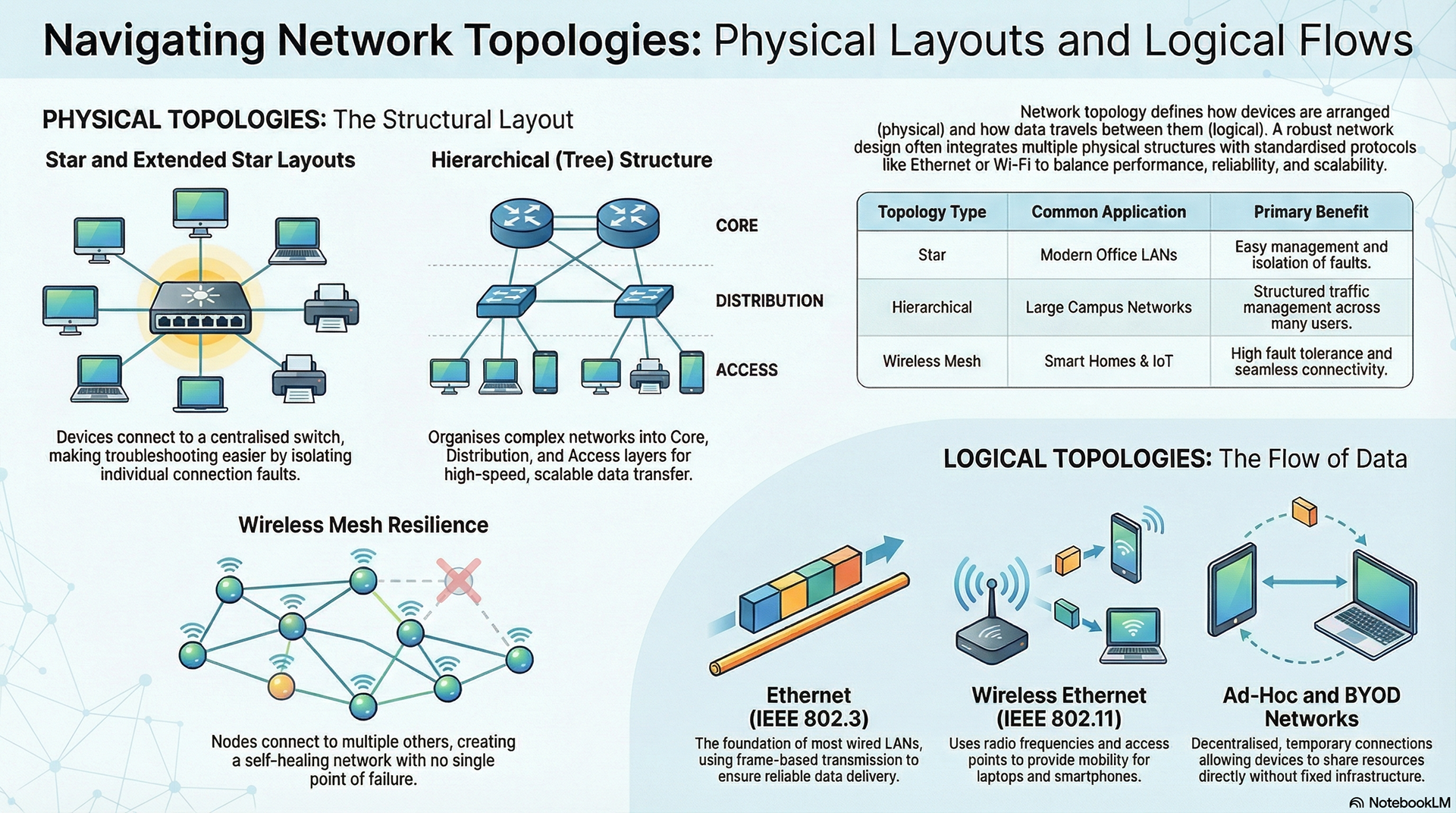
Resource 2: Network Topologies Infographic by NotebookLM

3 Knowledge Questions
Task: Complete Topic 2 in Workbook 2 - use the slide deck below to help you.

4 Worked Examples
Examples of different network topologies created with Packet Tracer
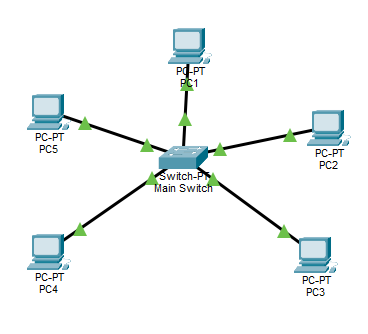
Star Topology
All devices connect to one central node, such as a switch or hub. It is simple to manage and easy to troubleshoot because faults are isolated quickly. If the central switch fails, the whole network goes down.
Extended Star
Multiple star networks are linked together through additional switches. This makes it a good fit for larger environments like multi-floor buildings. It still depends on each central switch remaining operational.
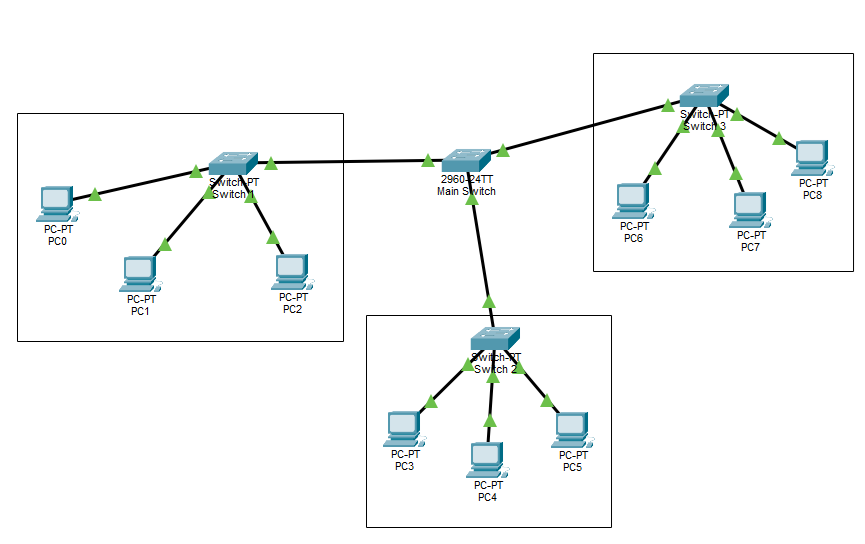
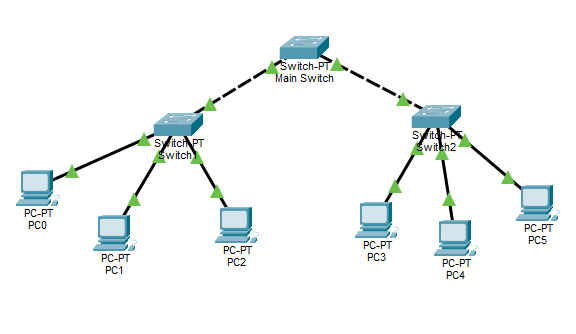
Tree Topology
Devices are arranged in a parent–child structure that branches out like a tree from a root node. It is highly scalable and common in large organisations. If a parent node fails, its entire branch is affected.
Wireless Mesh
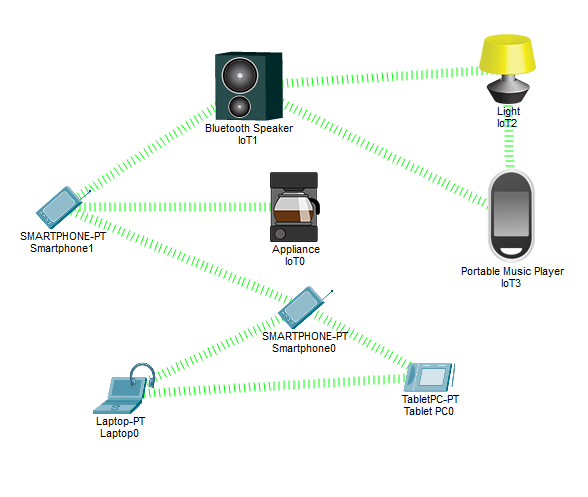
Devices connect wirelessly to multiple nearby nodes, creating redundant paths. If one route fails, data can automatically reroute through another. It is often used in smart homes, IoT systems, and outdoor coverage areas.
Ad-Hoc Topology
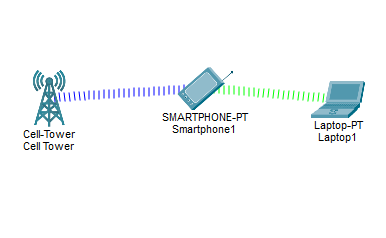
A temporary wireless network forms directly between devices with no central router. Examples include Bluetooth and Wi‑Fi Direct. Without central control, it is harder to monitor and secure.